

ACCESS CONTROL • SHARED CHARGING
EV CHARGER ACCESS CONTROL: PLAN FOR FAMILY, GUESTS AND A SHARED DRIVEWAY
Access settings can reduce unwanted use, but they should be chosen around real household drivers, visitors, connectivity and manufacturer-specific limits.
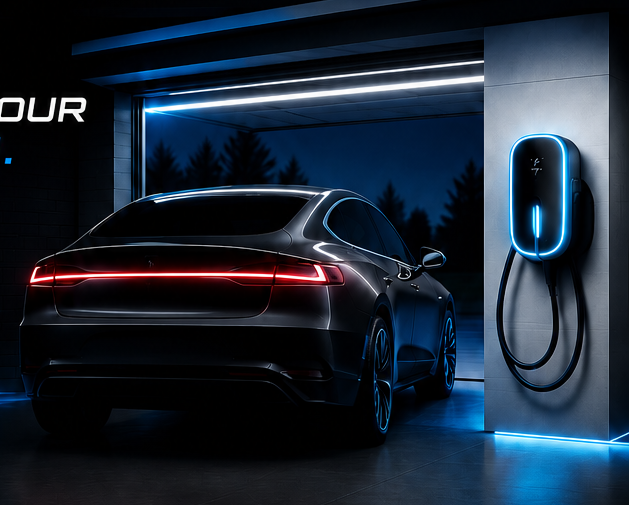
A charger mounted near an open driveway can raise a practical question: who should be allowed to start a session? Some connected stations offer vehicle authorization, app controls, schedules or account-based permissions. Others simply deliver power when a compatible vehicle is connected. The important step is to verify the exact model’s documented behavior before relying on a feature.
List the people and vehicles first
Write down every household vehicle that may use the station, including different brands and future replacements. Add occasional users such as relatives, caregivers, tenants or overnight guests. Access rules that work for one registered vehicle can become inconvenient when the household changes.
For manufacturer-specific systems, read current support material. Tesla, for example, documents access-control choices for certain Wall Connector configurations, but it also describes limitations for non-Tesla vehicles and temporary visitor access. That is a product-specific rule, not a universal feature of home charging equipment.
Separate access control from electrical safety
Software permission does not replace circuit protection, correct equipment selection or physical security. The station still needs an installation that follows its listing and instructions. If it is outdoors or accessible from the street, consider enclosure rating, connector storage, impact exposure and the route of the charging cable.
Plan for connectivity and account ownership
- Wi-Fi availability: Confirm whether setup, firmware, history or remote controls require a reliable connection at the charger location.
- Primary account: Decide who will register the equipment and retain recovery information.
- Household access: Check whether additional users need separate accounts, invitations or the primary owner’s phone.
- Offline behavior: Ask what happens when internet service, Wi-Fi or the manufacturer’s cloud service is unavailable.
- Property transfer: Keep instructions for removing the charger from an account before a move or sale.
Design a guest policy that actually works
A visitor may arrive in a different vehicle late at night, when the account owner is unavailable. Decide whether the station will normally accept all compatible vehicles or remain restricted. If guest access requires changing a setting, document who can do it and how it will be restored afterward. Never improvise with unapproved adapters or extension cords because an authorized station will not start.
Use physical layout to support the policy
Mount the station where the intended vehicle can connect without putting the cable across a public sidewalk or common path. If parking spaces rotate, measure reach from each likely position. In a shared driveway or multifamily setting, obtain property approval and clarify who controls the space, electrical account and equipment. Access software cannot resolve a parking or ownership dispute.
Record settings after commissioning
Keep the model and serial number, installer documentation, circuit identification, account owner, access mode and app name together. Note how to contact the manufacturer for account recovery. Do not publish serial numbers or account details where they could be misused.
FAQ
Can every smart charger restrict charging to selected cars?
No. Capabilities vary widely. Confirm the exact manufacturer and model documentation, including compatibility limitations.
Does access control work without Wi-Fi?
That depends on the product and configuration. Verify setup requirements and offline behavior before installation.
Should the installer own the charger account?
The property owner or designated operator should understand and control long-term account ownership. Installation help should not leave routine access dependent on someone who does not manage the property.
Can access settings prevent all unauthorized use?
No control is absolute. Combine documented software settings with sensible equipment placement, cable storage and property security.
SOURCES CHECKED OCTOBER 4, 2026
Tesla: Wall Connector Access Control · Tesla: Wall Connector Support · U.S. Department of Energy: Home Charging
PLAN A SAFER HOME-CHARGING SETUP
Talk through the vehicle, parking position and electrical service before equipment is selected.
EV Garage Install can review the installation scope and prepare a practical quote for a code-compliant home charging circuit.