

SMART CHARGER • NETWORK CHANGES
Change the network.
Keep the setup clear.
A new router or password can affect monitoring and schedules even when the charger still supplies power.
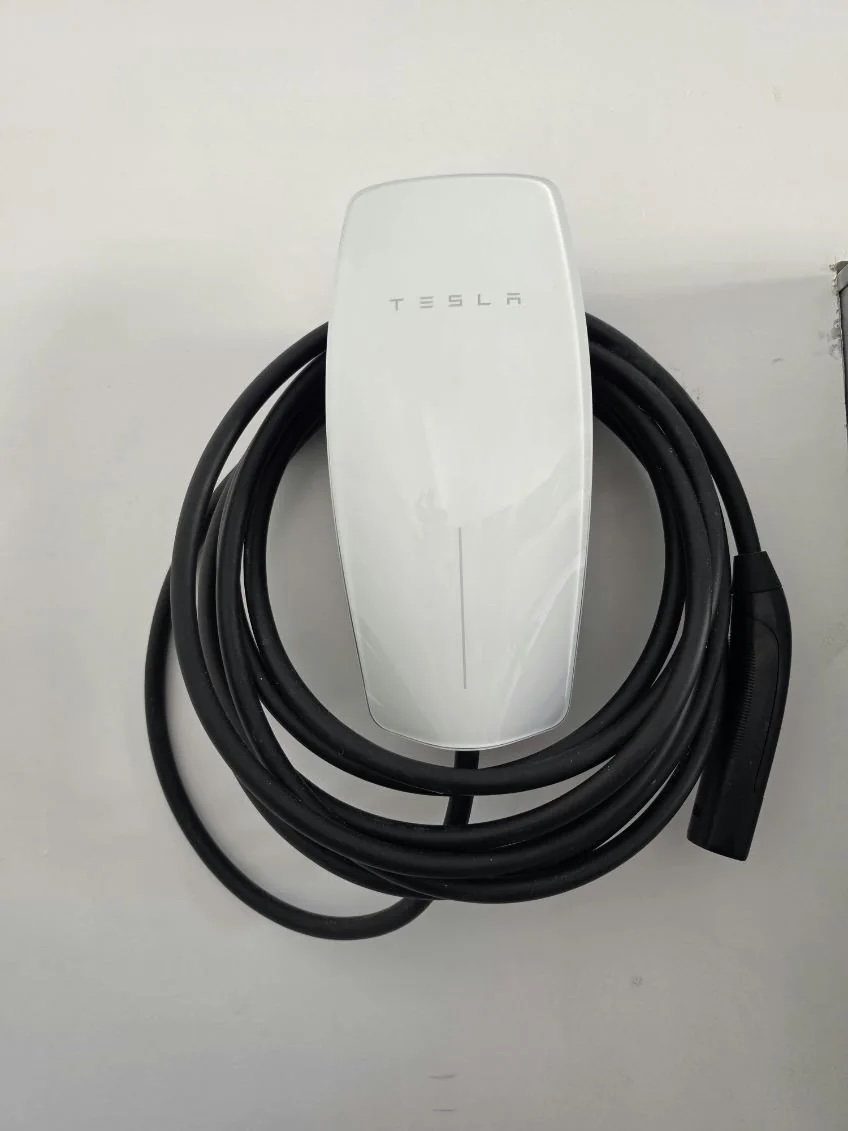
A smart EV charger may rely on Wi-Fi for commissioning, firmware, schedules, energy records or remote support. Changing the router, network name or password can interrupt those features without proving that the electrical installation is defective. Start by separating network symptoms from charging symptoms.
Record the working setup before changing it
Save the charger model and serial number, account owner, app name, network name, current charging limit and active schedules. If the charger is shared, identify who controls the primary account. Do not publish pairing codes, passwords or serial numbers in a public service request.
Charging and connectivity are different checks.
A charger can be offline from its app while the vehicle still charges. It can also appear online while a vehicle-side setting prevents a session. Record both conditions.
Use the manufacturer’s current process
Follow the charger manufacturer’s support instructions for the exact hardware generation. Some products create a temporary setup network; others use Bluetooth, an app or an installer commissioning interface. Do not reset equipment blindly, because a factory reset may remove schedules, access settings or commissioning information.
Recheck schedules and charging limits
After reconnection, compare the charger setting, vehicle setting and utility schedule. Multiple schedules can conflict and make a healthy installation look unreliable. Confirm which device is supposed to control start time and current. Keep electrical settings within the approved installation configuration; a network change is not permission to raise the charging current.
Document the final handoff
Verify that the charger appears in the correct account, reports the expected status and completes a normal charging session. Record who owns the account, how warranty support is reached and which settings were restored. If the charger will transfer to a new homeowner, follow the manufacturer’s ownership-transfer process instead of sharing login credentials.
Review our home EV charging services and installation process for help distinguishing network setup from electrical diagnosis.
Smart-charger Wi-Fi questions
Does losing Wi-Fi mean the charger is electrically unsafe?
Not by itself. Treat visible damage, overheating, water exposure, repeated protective-device operation or manufacturer fault warnings as separate reasons to stop and seek qualified service.
Should I factory-reset the charger first?
No. Check the manufacturer’s instructions and record the existing account and settings before any reset.
Can I increase charging current after reconnecting?
Only if the approved electrical design and manufacturer commissioning allow it. Do not change current to solve a network problem.
What helps with a service call?
Provide the model, indicator status, app message, recent router change and whether the vehicle charges. Redact passwords and private account information.
SOURCES REVIEWED OCTOBER 8, 2026
Tesla Wall Connector support · ChargePoint Home Flex information · U.S. DOE consumer charging guidance
LET’S PLAN YOUR INSTALLATION
Your garage. Your vehicle. A clear plan.
Send your address, vehicle details, and safely taken photos of the proposed charging location and accessible electrical labels. EV Garage Install will discuss the scope and next assessment step.